
When payroll runs, you need to know it's right.
Payroll Dashboards turns every processed payroll into a clear picture: what you paid, what changed since last time, and what it really costs your business.
A quick tour of Payroll Dashboards, under 90 seconds.
Your payroll, made clear.
No spreadsheets, no waiting on reports. The moment a payroll processes, it's ready to view.
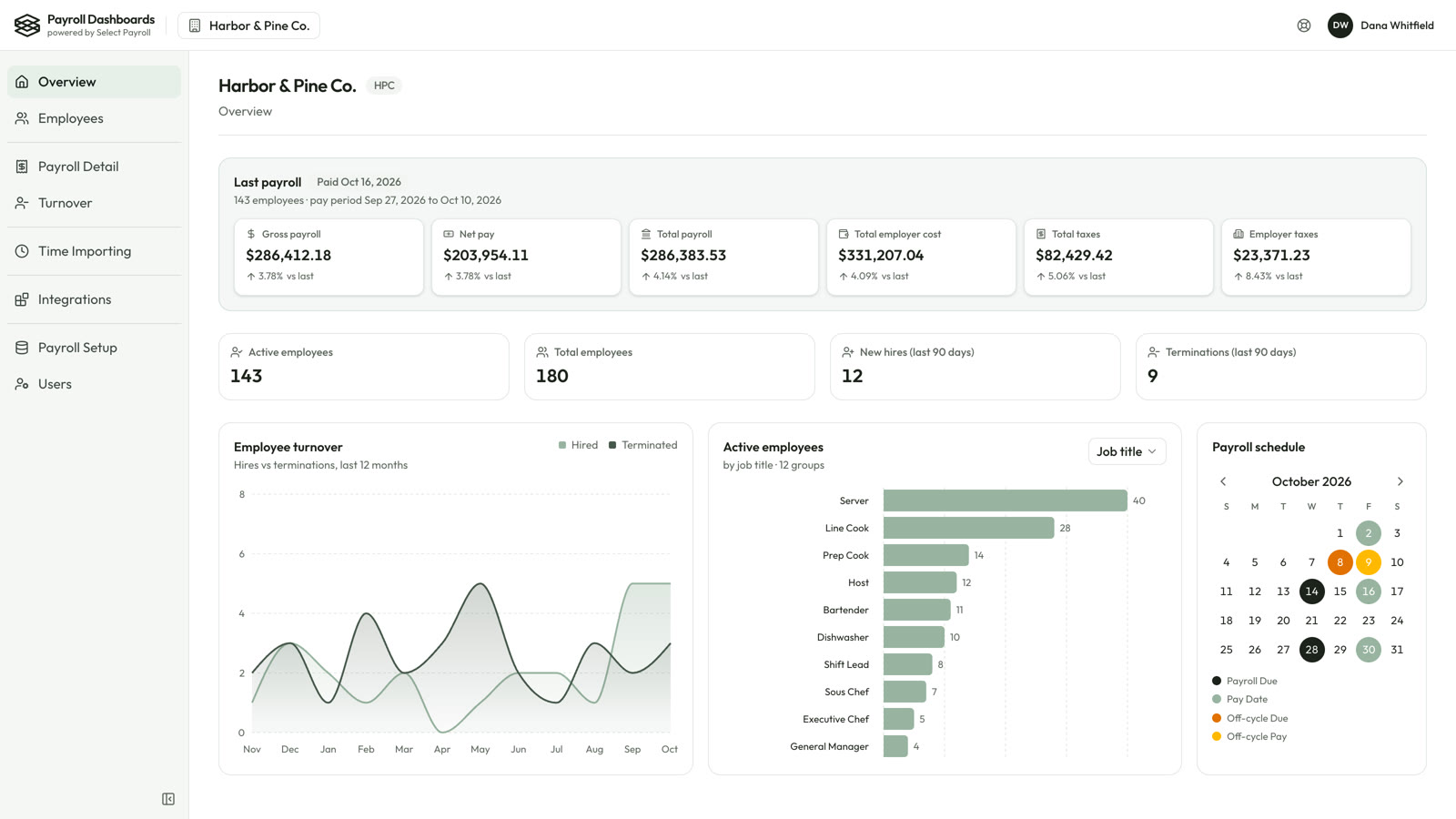
Every payroll, compared to the last one
Gross pay, net pay, taxes and employer cost for your latest run, each with its change from the run before.
- An email the moment a payroll is ready to view
- Headcount, new hires and terminations at a glance
- Your payroll calendar, regular and off-cycle runs
The full picture behind each run
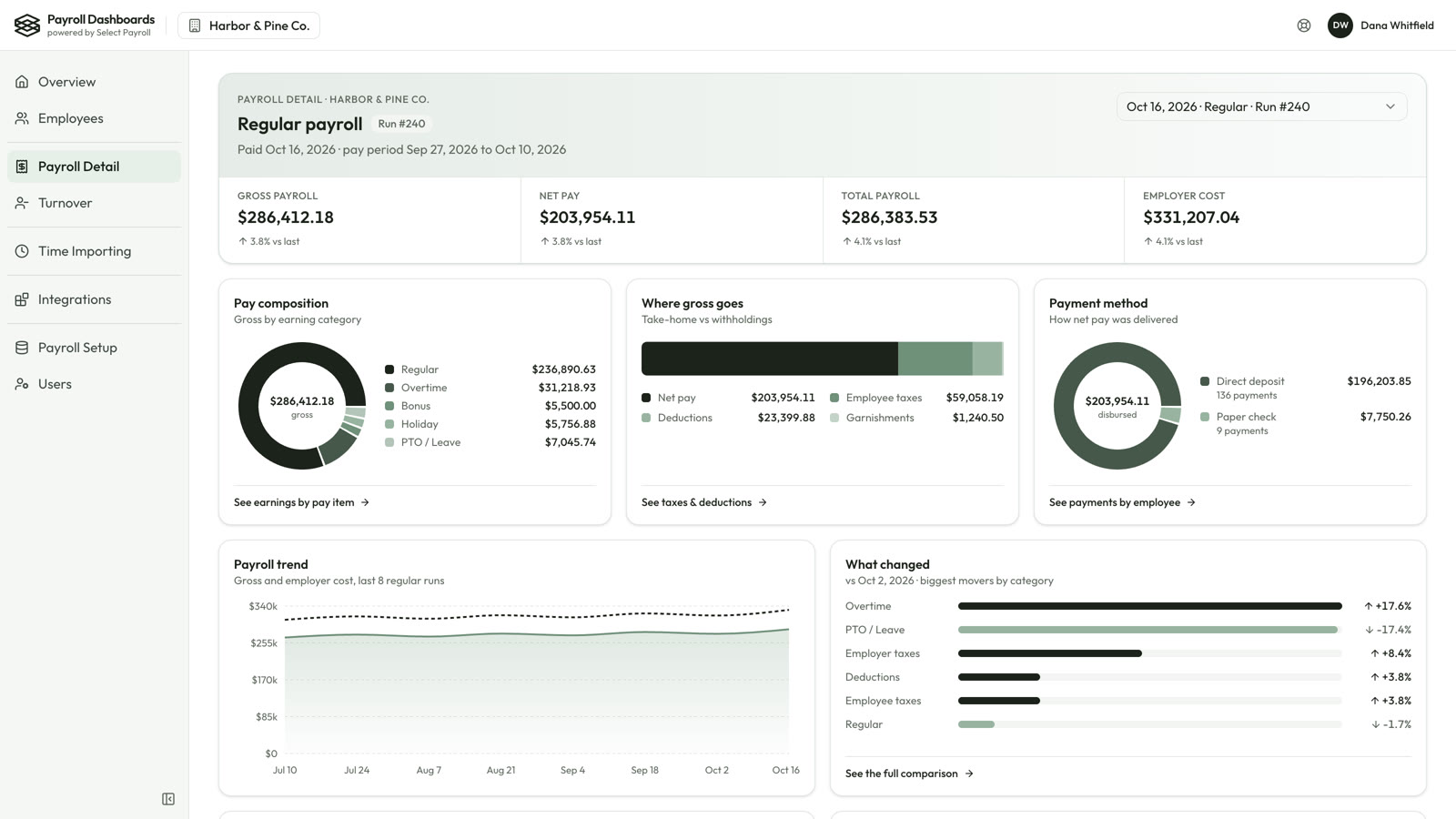
Open any payroll to see where the money went and how it was paid.
- Pay composition and where gross pay goes
- Direct deposit versus paper checks
- The biggest movers since your last payroll
- Who was paid twice, or paid after leaving
Turnover, priced in dollars
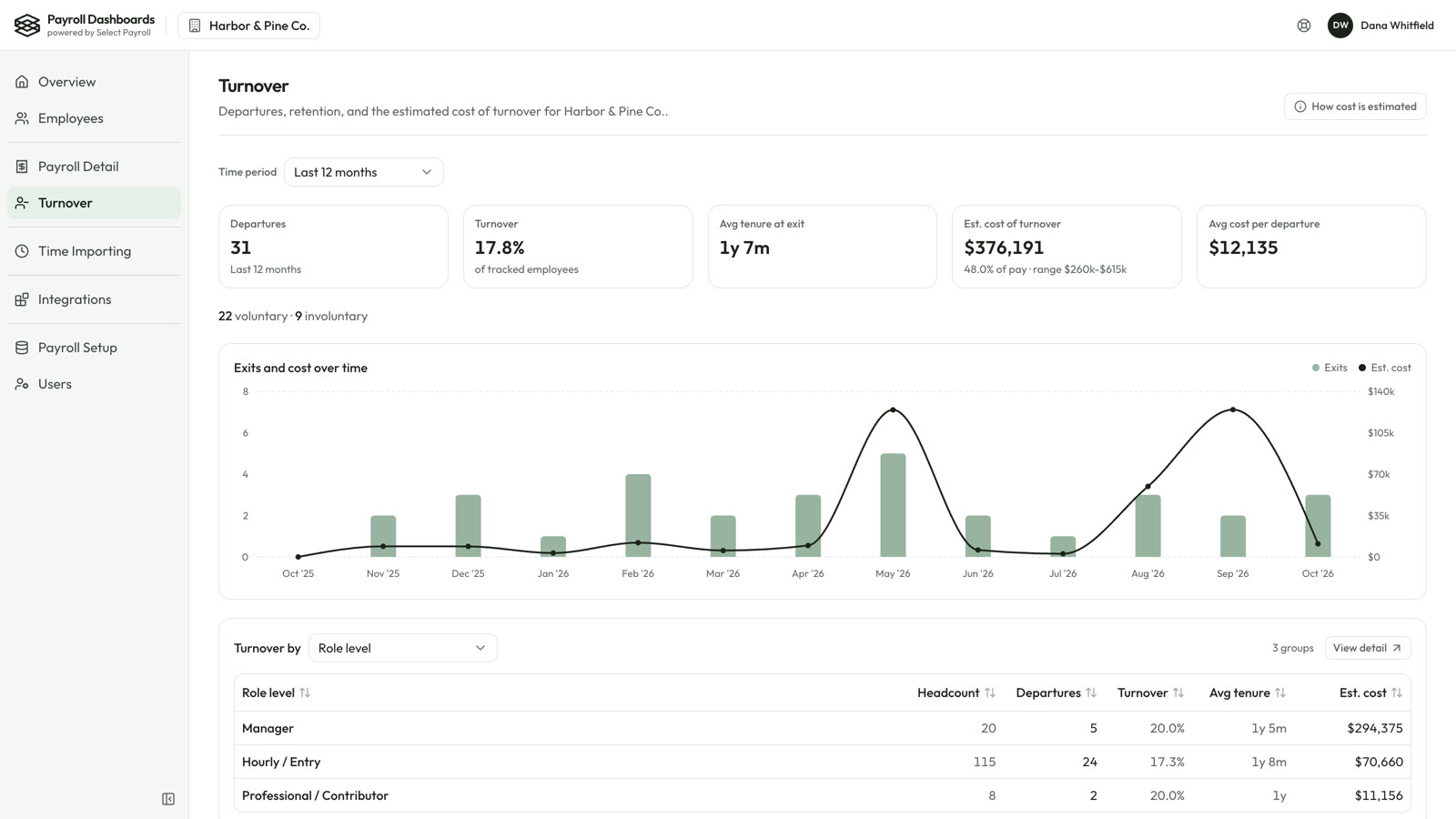
See who's leaving, from where, and an estimated cost of turnover based on published research, so you can see the real cost of every departure.
- Departures, turnover rate and tenure at exit
- Exits and cost month by month
- Broken down by job, location or reason
Time Importing
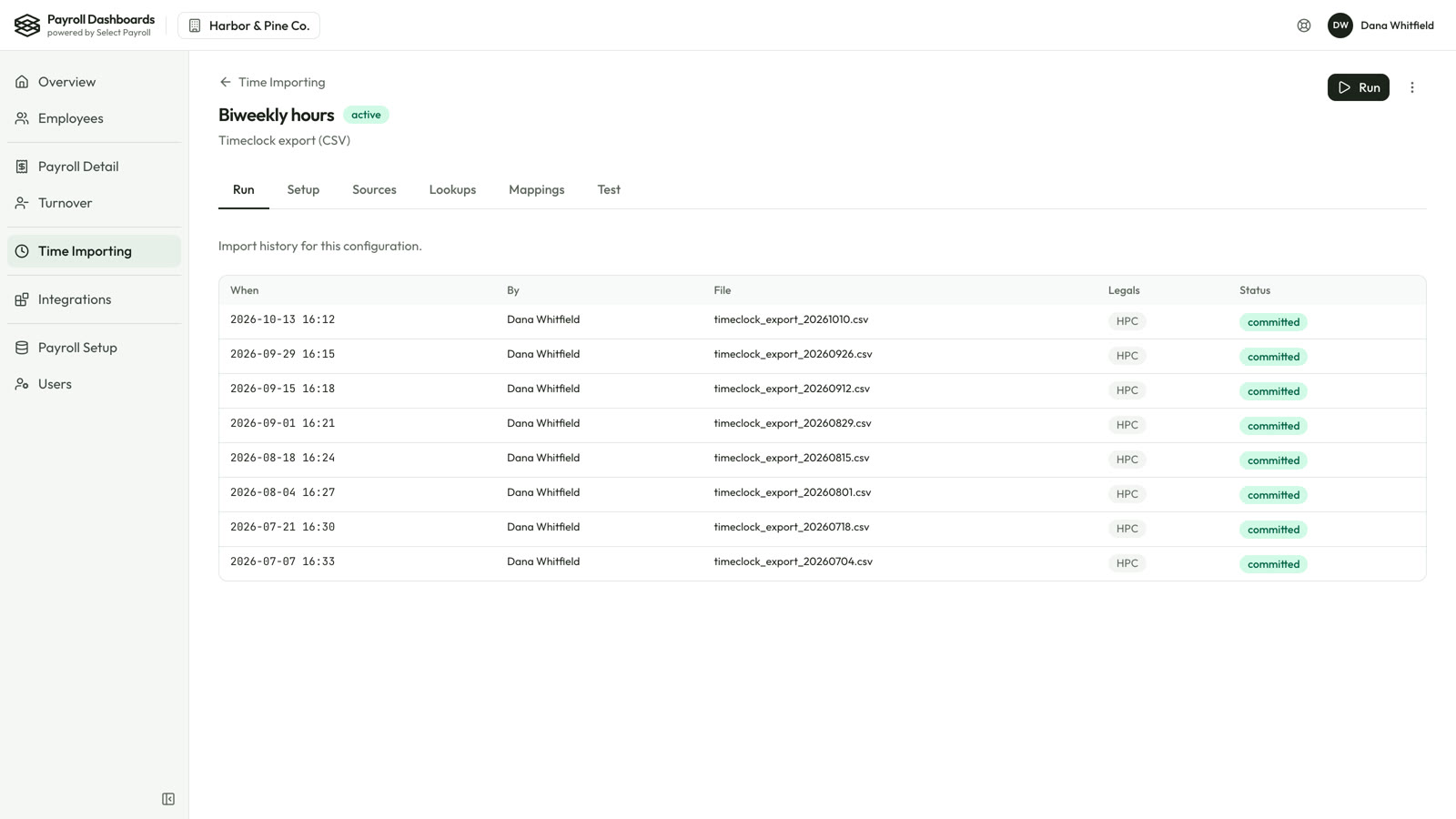
Hours from your time system go straight into payroll. Map it once, validate every file, then post.
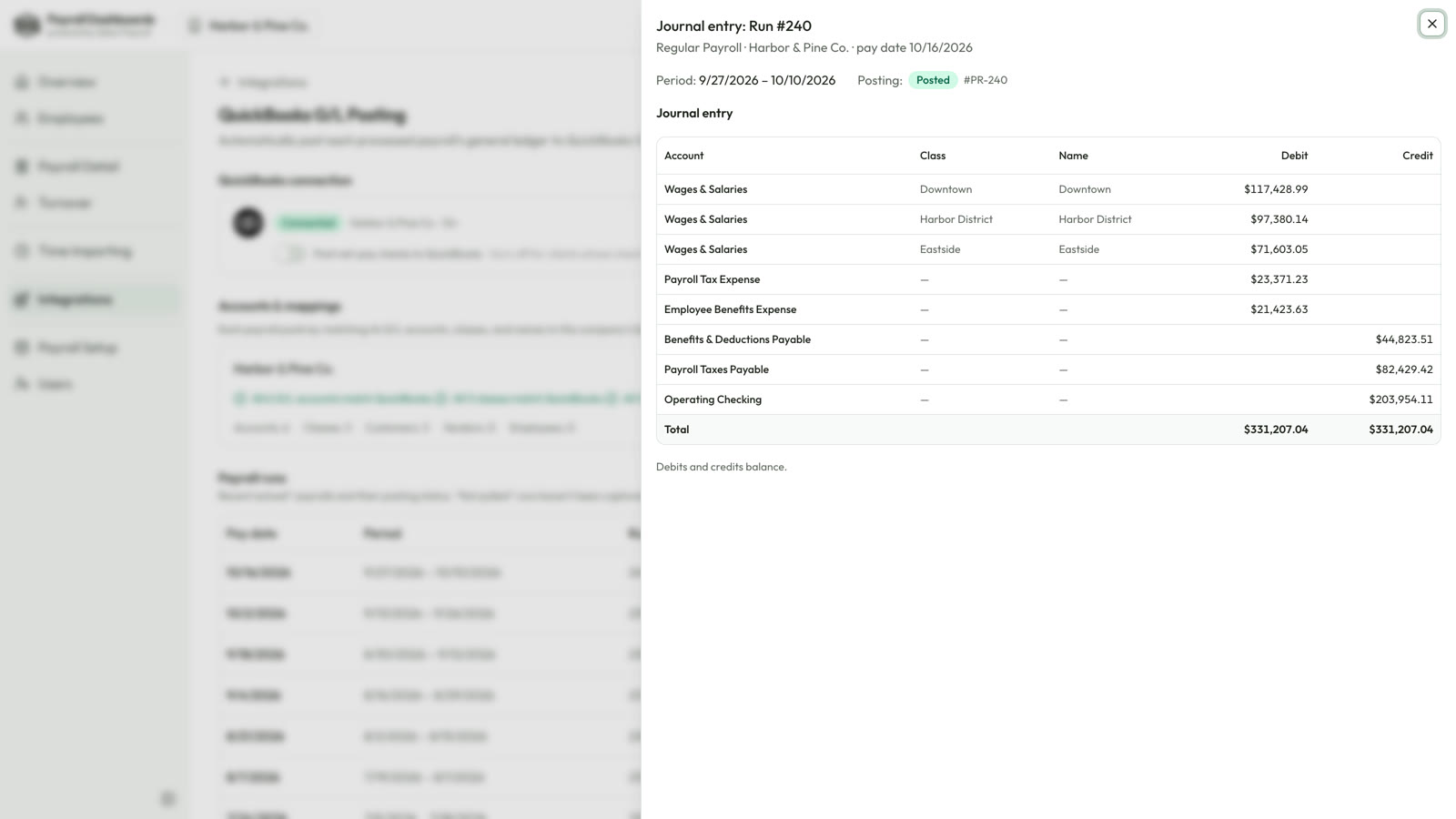
QuickBooks® G/L posting
Every processed payroll posts its journal entry to QuickBooks Online automatically. Debits and credits balance.
Screens shown with sample data.
Nothing new to learn. Nothing to retype.
We connect it
Your SelectPayroll team links Payroll Dashboards to your isolved® payroll. There's no data entry and no new system to set up.
Payroll flows in
Each time a payroll processes, its details arrive on your dashboard and you get an email that it's ready.
You see the story
What you paid, what changed and what it costs, ready for you, your managers and your accountant.
See your own payroll, made clear.
We'll walk you through Payroll Dashboards using your own payroll. Reach Scott at scott@selecthcm.com or 760-487-8064.